Pay history setup, from 10 days to 30 minutes
Customers switching to QuickBooks Payroll had to retype a full year of pay records by hand. I designed an AI-assisted import that reads the reports they already have, fills in the data, and asks only for what’s missing.
For switchers, setup isn’t a fresh start. It’s a data entry marathon.
40% of QuickBooks Payroll customers come from another provider. To calculate taxes correctly, QuickBooks needs a complete pay history for the current year. That meant filling in 43 fields per employee by hand: names, wages, deductions, tax withholdings. One wrong number could mean an incorrect tax filing.
One employee’s year-to-date record
{{ readout }}“Why can’t you just calculate it for me?”
“There needs to be an easier way to enter payroll history. It took a LONG time.”
“It is too hard to add pay history. Why can’t you just calculate it for me?”
“I would prefer an option where you all import it from ADP. At a minimum, there should be some way to import results with the needed data.”
Even with a human guide, it took 8–9 phone calls
Before designing anything, I went to the people already doing this work by hand. Our care agents in Reno helped Elite customers gather their pay history over the phone. Collecting the right reports took an average of 8–9 calls per customer. If the process was that confusing with an expert on the line, the self-serve version had no chance.
Customers didn’t know which documents to pull from their old provider.
They couldn’t tell whether they had uploaded the right thing.
Once data was entered, they had no way to confirm it was correct.
I led a design sprint with the care agents and our cross-functional team to map the full customer journey against these breakdowns. It gave us the core questions the design had to answer:
The customer we designed for
If we automatically import data from pay history documents and ask only for what’s missing, setup conversion will go up and setup time will come down.
We couldn’t redesign our way out. Machines had to do the typing.
The core problem was that people were doing work a machine could handle. I partnered with Intuit’s internal technology teams to shape an automation pipeline in three layers, and designed the experience around what each layer could and couldn’t know.
Sample outputs are illustrative.Three principles for an automated flow people would trust
Automation only helps if people believe the result. Every step of the flow had to answer to one of three principles.
Transparency
Guide the user’s mental model.
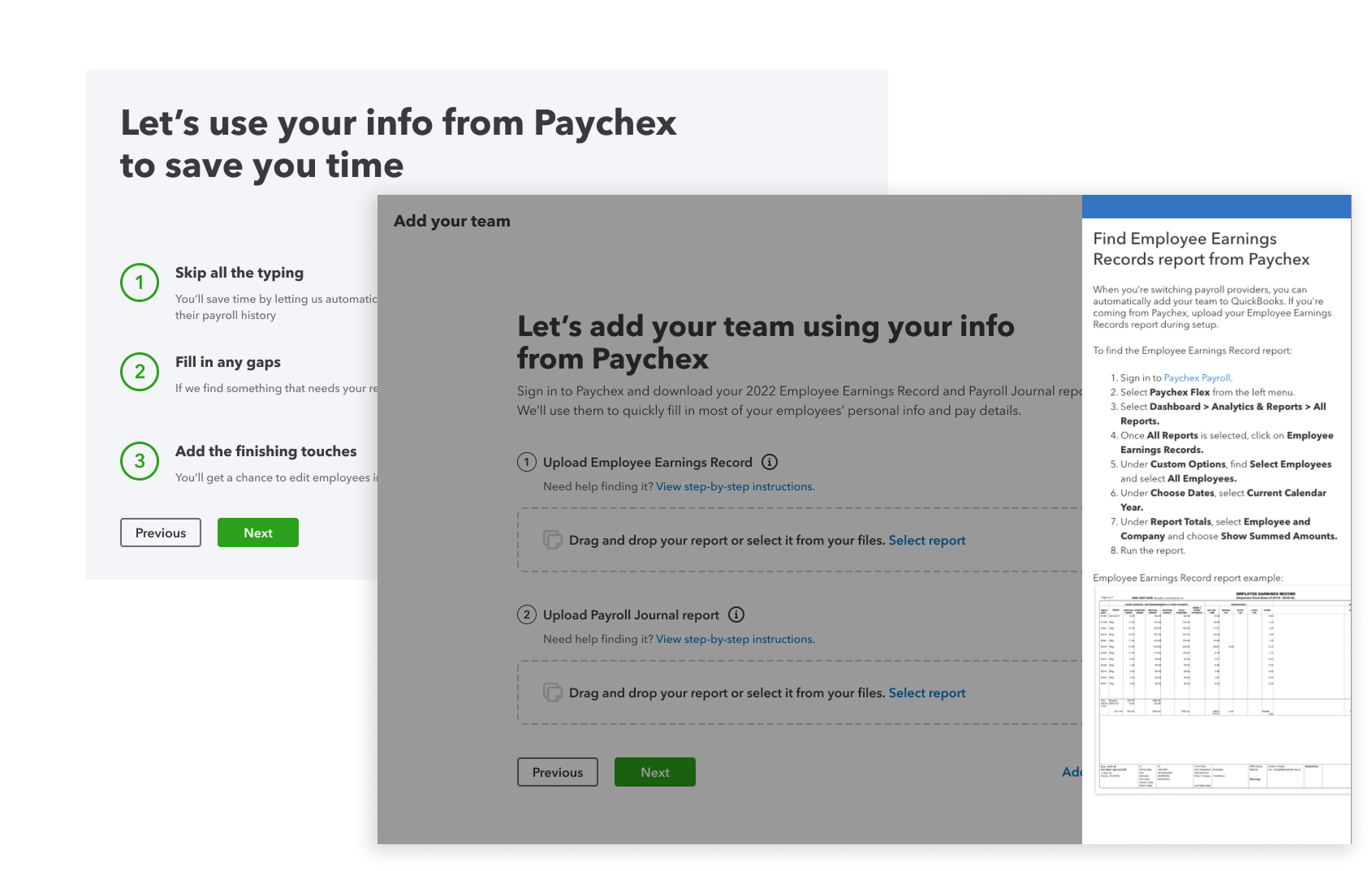
- Start from the provider they’re leaving, so guidance speaks their old system’s language.
- Name the exact report to pull, before they go looking.
- Answers the research finding: customers didn’t know which documents to pull.
Predictability
Make the output understandable and predictable.
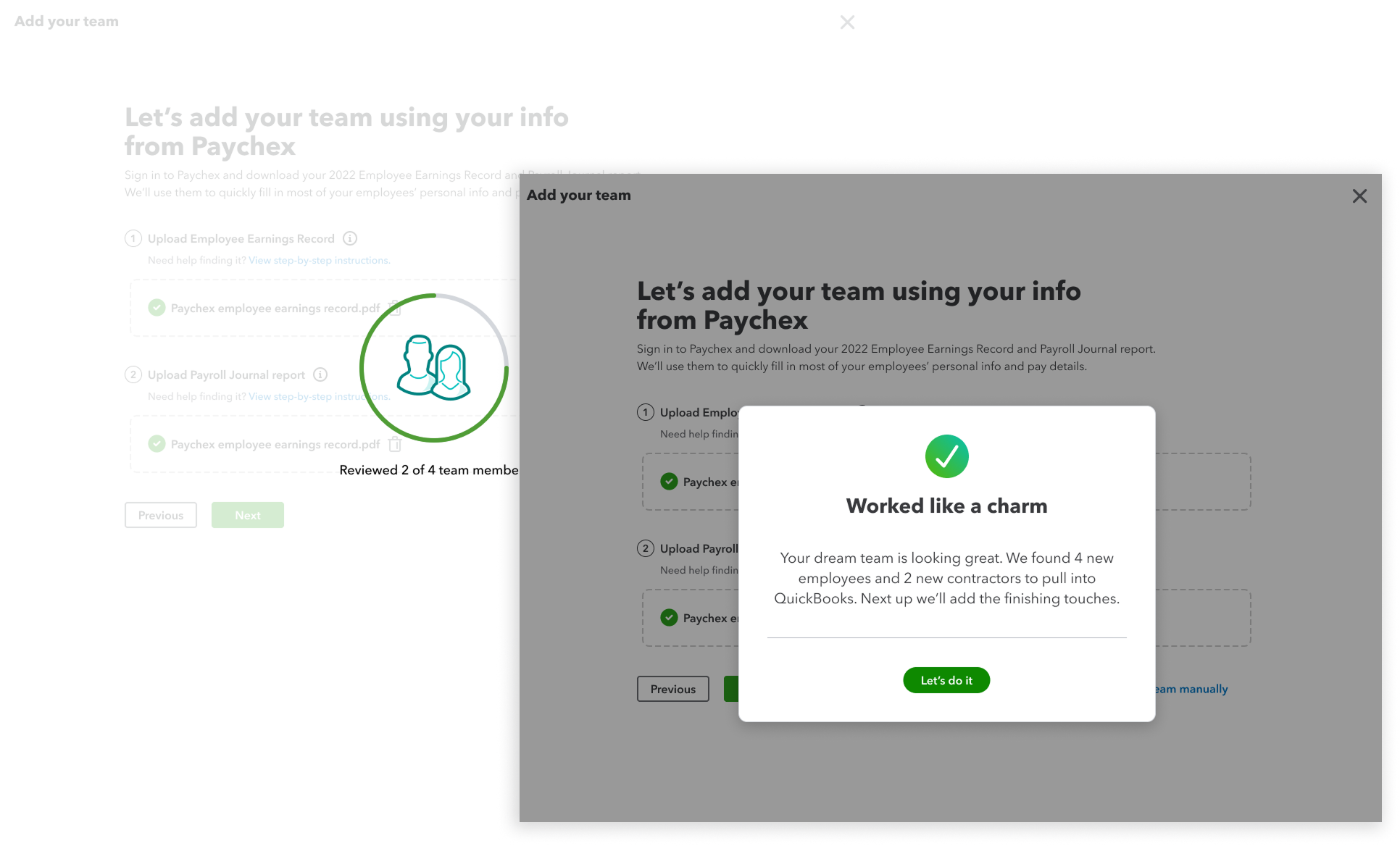
- Show each pipeline stage as it runs, in plain words, so waiting feels like progress.
- Confirm what the system recognized before showing any numbers.
- If a document is the wrong one, say which and why, right away.
Adaptability
Let users make changes.
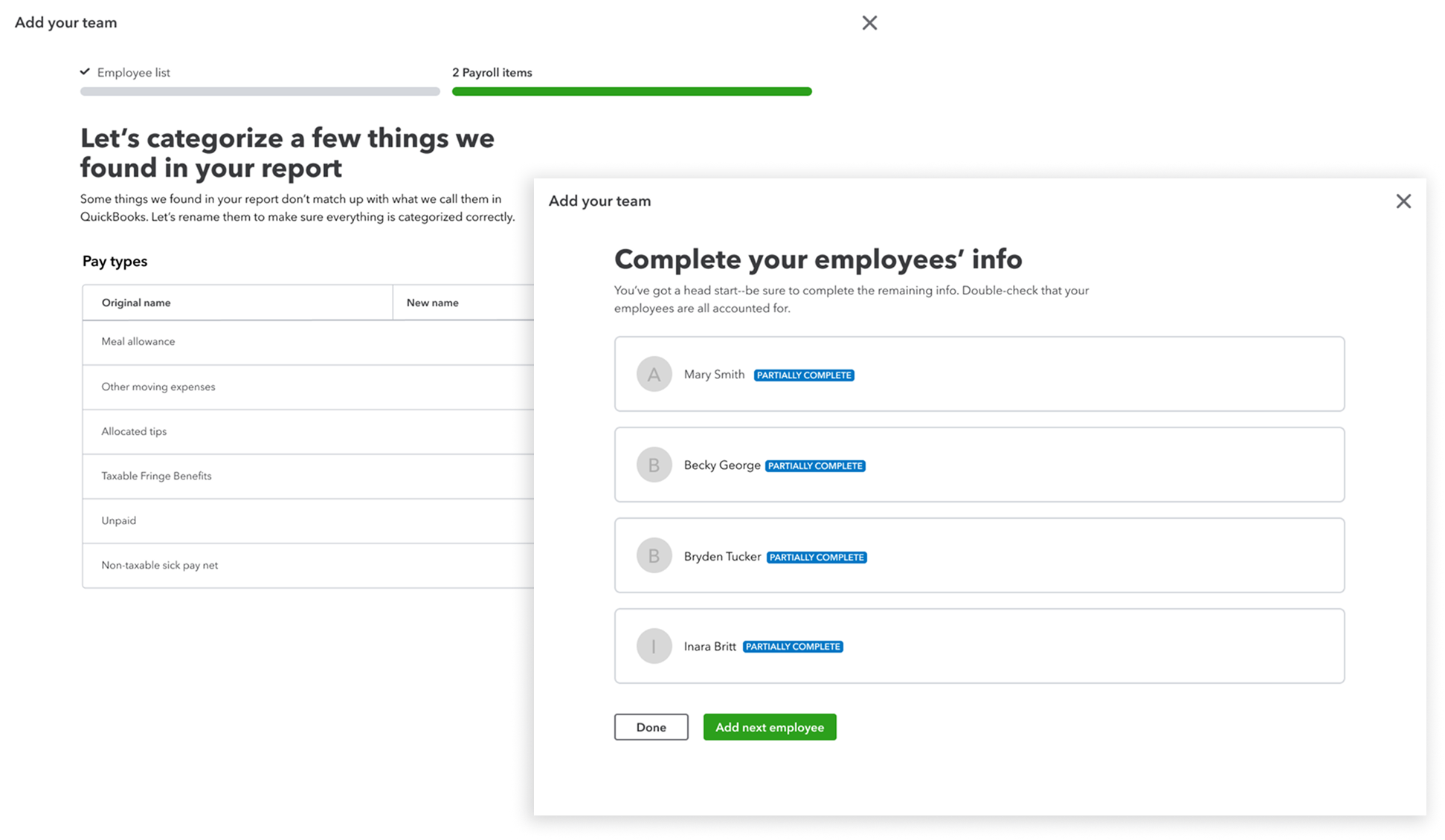
- Every extracted value is editable and shows where it came from.
- Gaps are flagged inline, so customers fill in 3 fields, not 43.
- Nothing is final until the customer confirms it.
Setup went from a 10-day chore to a single sitting
AI-driven flows replaced most of the manual data entry.
Conversion increase, at roughly $480K in revenue per point of drop-off recovered.